
Switch it on. Fly.
See your climb rate and altitude on a display made for sunlight. Use Davario as a standalone paragliding vario or send live climb data to your flight app over Bluetooth.
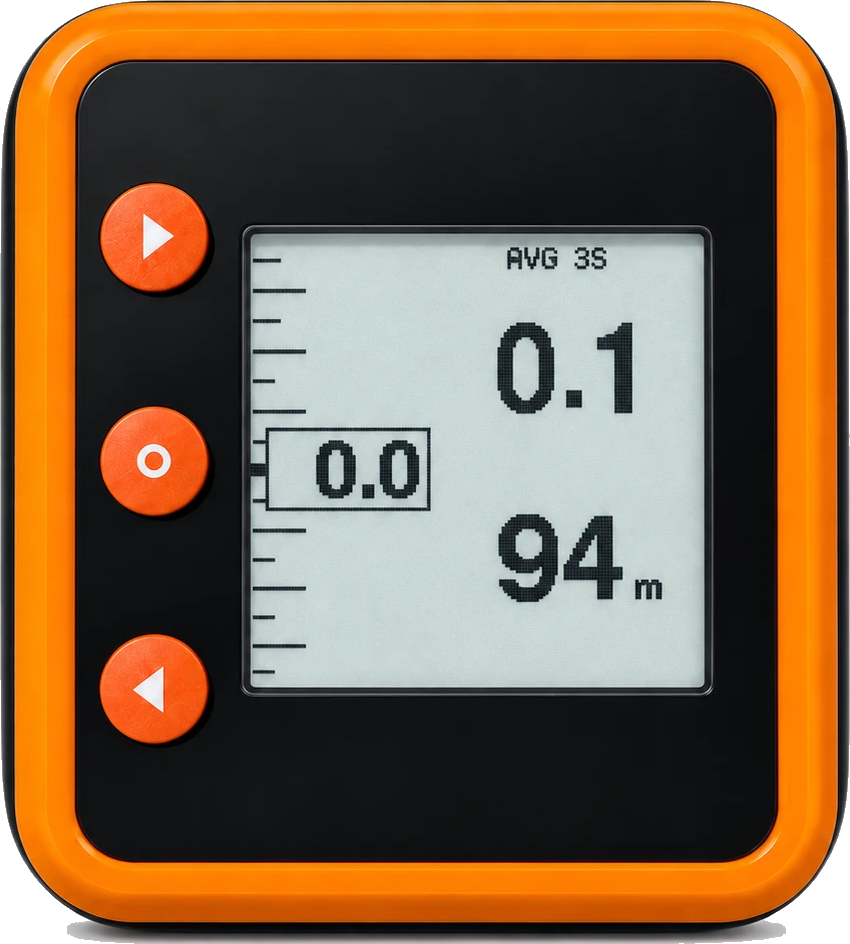
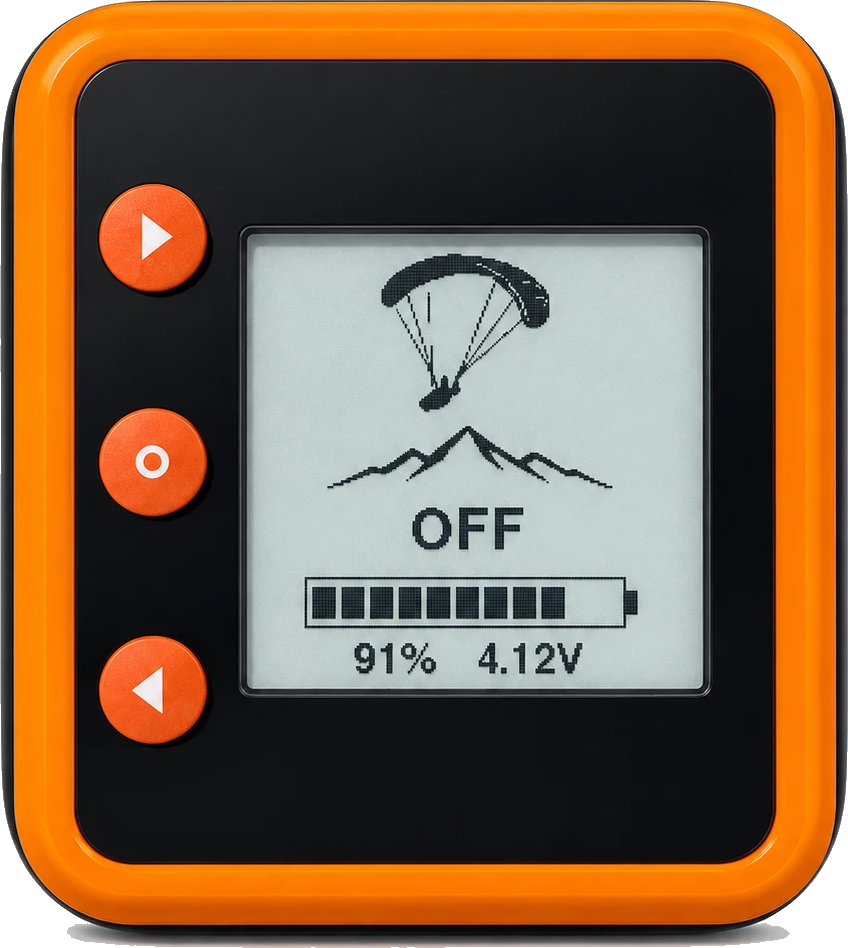
Display and battery
Davario’s screen reflects light instead of emitting it. In bright sunlight, the numbers stay readable.
Check the battery without starting the vario. The screen still shows the estimated charge when Davario is off, and shows charging status when USB-C is plugged in.
Choose portrait or landscape to suit where you mount it.
Estimated battery life is 10–15 hours per charge. Bluetooth use, sound settings, temperature and battery age affect runtime.
Three-button controls
Switch it on and fly with the factory settings. When you want to adjust them, the three-button menu keeps things simple.
- Forward / back Step through menus and adjust values.
- Select Wake it, choose a setting, or hold to shut down.
- Flight timer Start or pause the timer from the flight screen with the down button.
- Start Protect Require a hold or confirmation to start Davario and avoid accidental switch-ons in your gear bag.
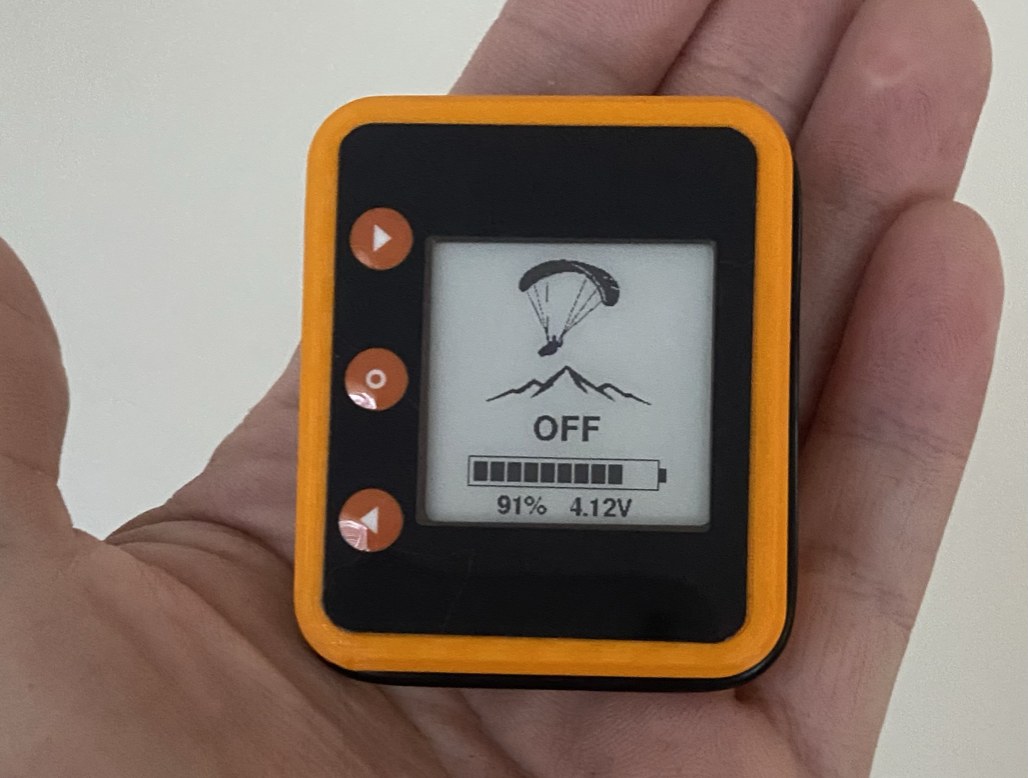
Mounting and display protection
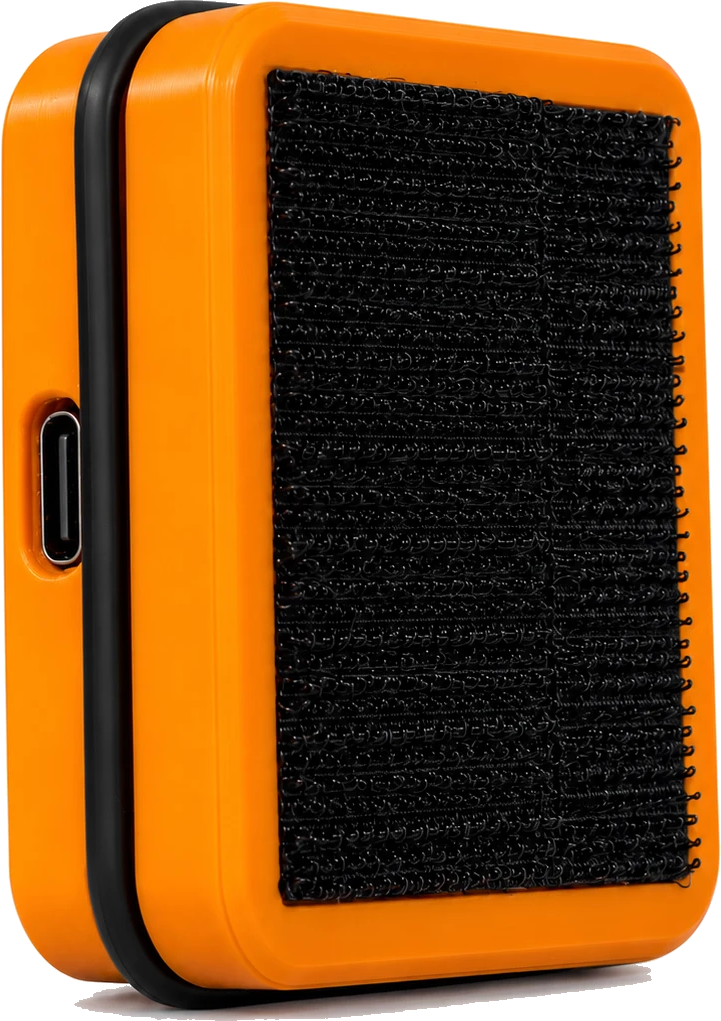
Recessed Velcro mount
The pad sits in a pocket on the back. The rim surrounds the edges of the pad so they’re less exposed to snagging when you handle the instrument.
A raised rim and an air gap
The raised rim meets a flat surface first when you set Davario face down. Inside, a small air gap separates the front panel from the display.
Standalone and connected flying
-
Fly with Davario on its own
Get climb rate, altitude, and lift and sink tones from the instrument. Its own display and battery also make it useful as a backup.
-
Connect to your flight app
Send live vario data over Bluetooth directly to Flyskyhy on iPhone or to XCTrack and XCSoar on Android. See app setup.
Lift, sink and launch altitude
How the climb and sink tones work
The tone rises and quickens together, so strong lift doesn't just sound faster — it sounds higher . Two cues moving at once is what lets you centre a thermal with your eyes on the wing.
Sink has its own low growl. Between sink and the first lift click, the instrument stays silent. Tone changes are sharpest through weak and workable lift.
Every tone, if you want the numbers
| Rate (m/s) | Pitch | Cadence | Pattern |
|---|
Setting altitude at an Australian launch
Most instruments make you set your altitude by hand on launch — squint at the marker, count the metres, hope you got it right. Davario ships with 78 Australian launches built into the firmware, sorted by state and region. Find yours, press select, and the altimeter is correct before you have clipped in.
Specifications
56 × 47 × 17 mm. Three buttons. USB-C charging.
Sensing
| Pressure sensing | High-resolution barometric sensor, temperature compensated |
|---|---|
| Motion sensing | Six-axis inertial — 3-axis accelerometer, 3-axis gyroscope |
| Climb estimate | Fused barometric and inertial |
| Processor | 32-bit RISC-V, integrated 2.4 GHz radio |
Audio
| Lift threshold | +0.10 to +0.30 m/s (factory +0.18) |
|---|---|
| Sink threshold | −3.00 to −0.20 m/s (factory −2.6) |
| Pitch scale | 80 – 120 % |
| Cadence | 70 – 140 % |
| Volume | Six positions, silent to loud |
Physical
| Size | 56 × 47 × 17 mm |
|---|---|
| Orientation | Landscape or portrait |
| Known launches | 78 Australian sites, by state and region |
| Davario screen | 27 × 27 mm reflective, 200 × 200, no backlight |
| Controls | Three buttons |
| Body | Printed PETG, sealed with an O-ring |
| Front panel | Recessed below the rim, air gap to the screen |
| Mounting | Velcro, recessed into the back |
Connectivity & power
| Bluetooth | Bluetooth LE, standard vario sentences |
|---|---|
| Wi-Fi | 2.4 GHz, for setup and updates |
| App support | Flyskyhy (iPhone), XCTrack and XCSoar (Android) |
| Charging | USB-C — use any cable you already own |
| Battery life | Roughly 10–15 hours expected per charge; varies with use |
| Firmware updates | Over the air, free |
Frequently asked questions
Can I fly with or without a phone?
Yes. On its own, Davario displays climb rate and altitude and sounds lift and sink tones. With Bluetooth enabled, it also sends live vario data to a compatible flight app.
Which flight apps can I connect?
Enable Bluetooth on Davario and add it as an external vario in Flyskyhy on iPhone or XCTrack on Android.
XCSoar 7.45 and later on Android connects directly to Davario over Bluetooth LE. With Bluetooth enabled on Davario, open Config → Devices in XCSoar, select Davario’s BLE port and set the driver to Generic. XCSoar receives live climb and sink data and uses Davario’s pressure reading to calculate altitude.
Does it have GPS or record tracklogs?
Davario supplies climb data and altitude. Use your flight app or a separate GPS instrument for navigation and tracklogs.
How do updates work?
Save your home Wi-Fi to the vario once. After that, new firmware is fetched and installed over the air from the menu. Updates are free.
Is it waterproof?
A waterproof rating has not been confirmed.
Enquire about pre-order.
Ask about pricing, availability, or whether Davario suits your flying setup.
- dave@coolabode.com.au
- Phone
- +61 428 819 340